Server local login TP management system
- Performing any operation below to open TP management system:
- Double-click the Teampel Server Manager shortcut.
- Select Start > All apps > Teampel > Teampel Server Manager.
- In the address field enter "http://127.0.0.1:35002" and press Enter.
- Enter admin account and password.Default super admin account and password are:admin.
- Click the "Sign in" button.
Sign in to TP Management System on other computer
- In the address field enter "http://[Server IP]:35002" and press Enter.E.g.,
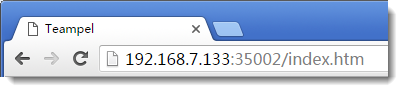
- Enter admin account and password.Default super admin account and password are:admin.
- Click the "Sign in" button.
Secondary admin sing in TP management system
Admin can sign in TP management system to add secondary admin.
- In the address field enter "http://[Server IP]:35002" and press Enter.E.g.,
- Enter secondary admin's Teampel account and password.
- Click "Sign in ".
Note:
- If you are not able to enter the sign-in page of the TP Management System, please select Start > All apps > Teampel > Teampel Server Startup.
- You are advised to change admin's password in time. See Change admin password.