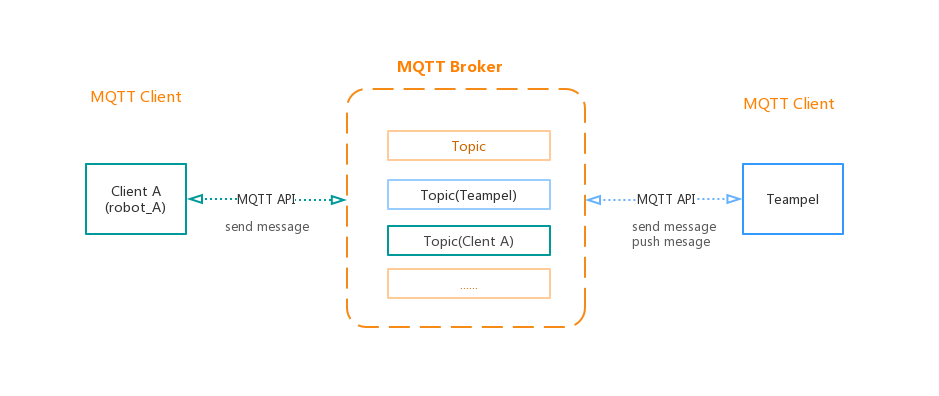
Based on MQTT protocol, Teampel provides MQTT API for 3rd party services.
MQTT Service settings
- Select "Security" > "MQTT API".
- Find "MQTT service settings", enter MQTT service address and other information.
- Broker URI: MQTT server address. *required.If MQ middleware server is installed on another machine, you need to modify the IP.
- Topic:Topic is a top tier category of messages in the message queue, which you can use to create a topic like "tp_message" to identify messages in Teampel.
- Connected accounts:
- Password:
- Click "Save" to finish setup.
Note:You need to reboot Teampel manually for the change to take effect.
Add account
- Select "Security" > "MQTT API".
- In "Authorized account", click "Add" button to open "Add account" dialog box.
- Select member.
- Click "Save" to finish。
Note:Only Teampel member can be added to the list.This authorized account is either the sender or recipient of messages.
Remove account
- Select "Security" > "MQTT API"
- Find the member on the list and click "Remove" button to the right to show "Remove confirmation" dialog box.
- Click "OK" button to finish.